Status Tracking 📡
The app allows you to track the status of messages using multiple methods.
Tracking Methods 🔍
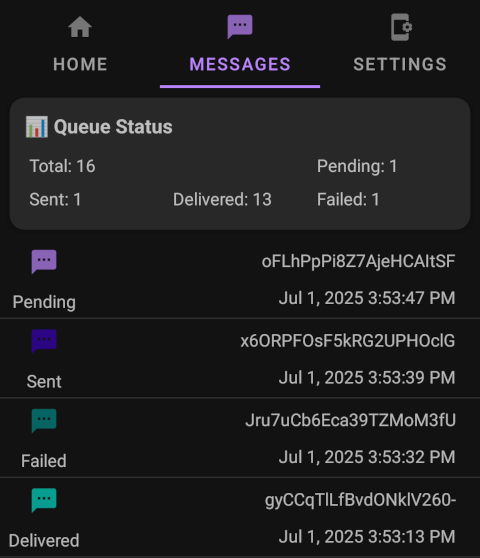
{
  "event": "sms:failed",
  "payload": {
    "messageId": "zXDYfTmTVf3iMd16zzdBj",
    "sender": "+1234567890",
    "recipient": "+9876543210",
    "phoneNumber": "+9876543210",
    "simNumber": 1,
    "failedAt": "2024-02-20T15:30:00Z",
    "reason": "Invalid number"
  }
}
curl -X GET https://api.sms-gate.app/3rdparty/v1/messages/zXDYfTmTVf3iMd16zzdBj \
  -u "user:pass"
Message Lifecycle 🔄
stateDiagram-v2
    direction LR
    [*] --> Pending
    Pending --> Cancelling
    Cancelling --> Cancelled
    Cancelling --> Sent
    Cancelling --> Failed
    Cancelled --> [*]
    Pending --> Processed
    Processed --> Sent
    Sent --> Delivered
    Delivered --> [*]
    Failed --> [*]
    Pending --> Failed
    Processed --> Failed
    Sent --> Failed
    Delivered --> Failed
Status Definitions 🚦
 Pending
Message queued, awaiting device processing Cancelling
Server requested cancellation, awaiting device confirmation- Cancelled
Message successfully cancelled before processing  Processed
Device prepared message, handed to Android SMS API Sent
Sent
SMSC accepted message (Android API confirmation) Delivered
Recipient device confirmed receipt (requires"withDeliveryReport": true) Failed
Terminal error at any stage
Messages Stuck in Processed
Processed is terminal-unless-confirmed, and there is no automatic recovery.
The app does not periodically re-scan a message that remains in Processed. If its confirmation is lost, no later check advances the message, so it can remain there indefinitely.
This is deliberate:
- The app will not auto-resend it, because the message could have been sent, and resending it could mean a duplicate.
- The app will not mark it
Failed, because we simply do not know what happened.
What to do as an operator:
- Treat a message still in
Processedpast your expected send window as indeterminate, not as failed and not as sent. - Do not blindly retry it. A retry can produce a duplicate delivery and a duplicate charge from the carrier.
- Reconcile against your own outbound log or the recipient's delivery receipts to learn what actually happened.
For a message with a lost Android SMS API confirmation, no automatic recovery moves it out of Processed: there is no re-scan, sweeper, or timeout.
Message Scenarios 📨
| Condition | Result Status |
|---|---|
| All parts sent | Sent |
| Any part delivered | Delivered |
| Any part failed | Failed (terminal) |
| Condition | Result Status |
|---|---|
| Any pending | Pending |
| Any processed | Processed |
| All cancelled | Cancelled |
| All delivered | Delivered |
| All failed | Failed |
| Otherwise | Sent |
Message Status Fields
The message status response (GET /3rdparty/v1/messages/{id}) includes the following fields:
| Field | Type | Description |
|---|---|---|
id | string | Unique message identifier |
state | string | Current state (Pending, Processed, Sent, Delivered, Failed) |
states | object | History of previous message states (map of state name to timestamp) |
recipients | array | Per-recipient delivery states |
Delivery Reports 📋
If the app receives an error code in the delivery report, the action depends on the type of the error:
- Permanent error: the status changes to
Failed - Temporary error without retries: the status changes to
Failed - Temporary error with retries: ignored, the status doesn't change
Temporary Errors
The Android OS may not report the final status of the message after a temporary error. In this case the message remains in the Sent state even if it was successfully delivered.
Error Code Reference
Full SMSC error codes documented in GSM 03.40 Specification